
Save 50%


Please sign in so that we can notify you about a reply
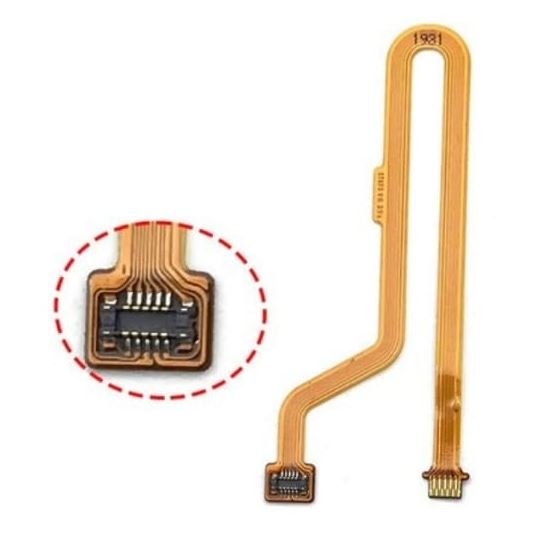
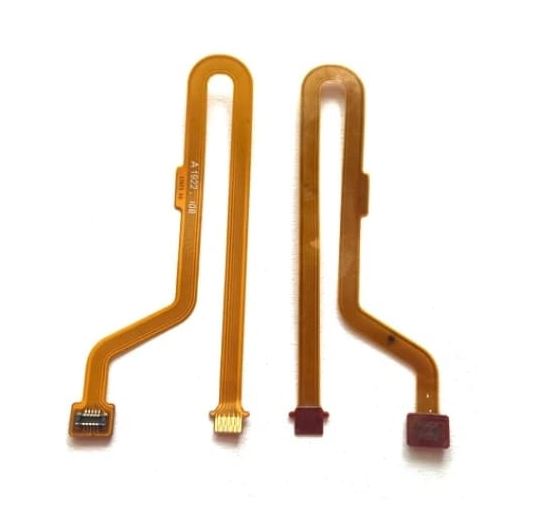
Is your phone's fingerprint security lock failing to register your touch, or did the original ribbon cable accidentally snap during a back panel or battery repair? Bring your phone back to 100% functionality with this premium Huawei Y9 Prime (2019) Fingerprint Sensor Flex Cable, available right here on Bzar.pk.
The rear-mounted biometric sensor on the Y9 Prime relies on a highly sensitive, ultra-thin connecting flex ribbon to pass data directly to your phone's motherboard. If your scanner is physically damaged, scratched, or completely unresponsive, this premium replacement module effortlessly restores your biometric lock, app authentication, and touch gesture navigation. Built using high-grade conductive pathways, it guarantees smooth performance without lagging or freezing.
Technical Specifications
- Brand Compatibility: Huawei
- Model Compatibility: Huawei Y9 Prime 2019 (Models: STK-L21, STK-L22, STK-LX3)
- Component Type: Rear-Mounted Fingerprint Scanner Module with Connecting Ribbon Cable
- Available Colors: Midnight Black / Emerald Green / Sapphire Blue (Matches your original back glass aesthetics)
- Condition: 100% Brand New and Pre-Tested
Important Professional Installation Advice
- Match Your Color: Ensure you select the correct color option that matches your phone's back glass panel cover for a clean look.
- Perform a Functional Dry Test: Temporarily plug the flex connector into the motherboard socket and test the biometric settings before using adhesive glue or permanently sealing the rear cover.
- Handle with Extreme Care: The internal ribbon cable is incredibly thin and fragile. Avoid making sharp creases, tight folds, or using sharp metal tweezers near the flexible trace lanes.
No reviews found