
Save 22%


Please sign in so that we can notify you about a reply
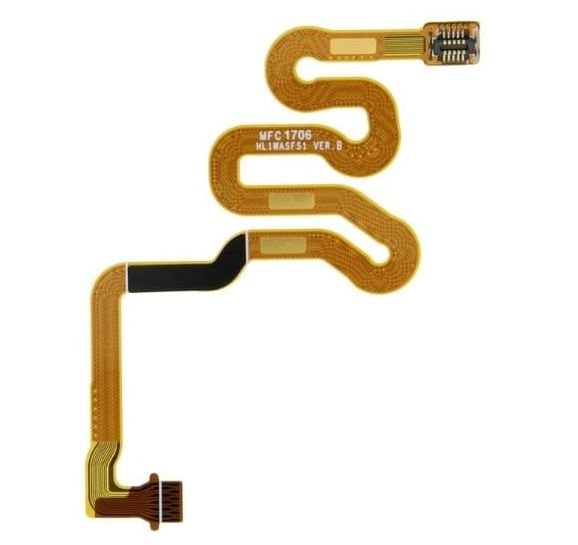
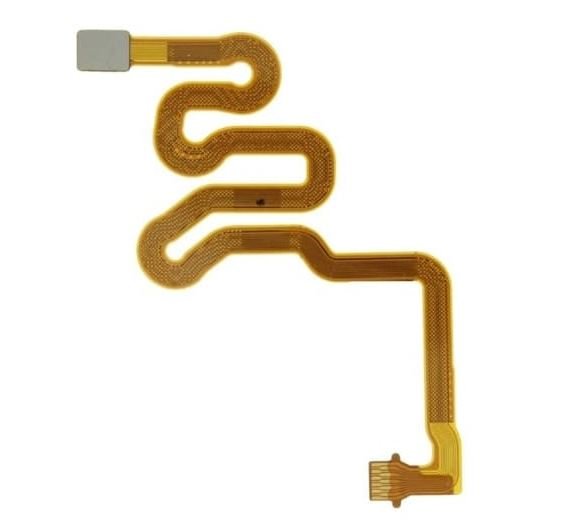
Is your phone's biometric unlock feature no longer responding, or did the original ribbon connection snap while opening the rear housing for a battery or glass back cover replacement? Bring your device back to peak performance with this premium Huawei P10 Lite Fingerprint Sensor Flex Cable, available right here on Bzar.pk.
The rear fingerprint sensor on the P10 Lite relies on an exceptionally thin and delicate flexible printed circuit board (FPCB) to communicate directly with the phone's core motherboard. If your current scanner feels laggy, fails to map new prints, or throws "Fingerprint hardware not available" system codes, swapping out this modular ribbon completely resolves the problem. Each replacement strip features gold-plated connection contact pins to accurately process security logins, application locks, and swipe gesture controls without freezing.
Technical Specifications
- Brand Compatibility: Huawei
- Model Compatibility: Huawei P10 Lite (Models: WAS-LX1, WAS-LX1A, WAS-LX2, WAS-LX3, WAS-L03T)
- Component Type: Rear Fingerprint Sensor Connection Module with Flex Ribbon
- Available Colors: Midnight Black / Champagne Gold / Sapphire Blue
- Condition: 100% Brand New and Separately Performance Tested
Important Professional Installation Advice
- Perform a Functional Dry Test: Securely pop the tiny flex connector onto the phone's mainboard socket and test the biometric unlock screen before applying permanent back panel glue or adhesive tape.
- Handle with Extreme Care: The golden circuit ribbon trace lanes are microscopic and tear under minimal pressure. Do not make sharp folds, tight creases, or use sharp metal tools during seating.
- Expert Repair Recommended: Replacing this part requires careful removal of the phone's back glass panel. If you are unfamiliar with smartphone hardware repair, professional technician help is highly advised.
No reviews found